Amazon Seller Central
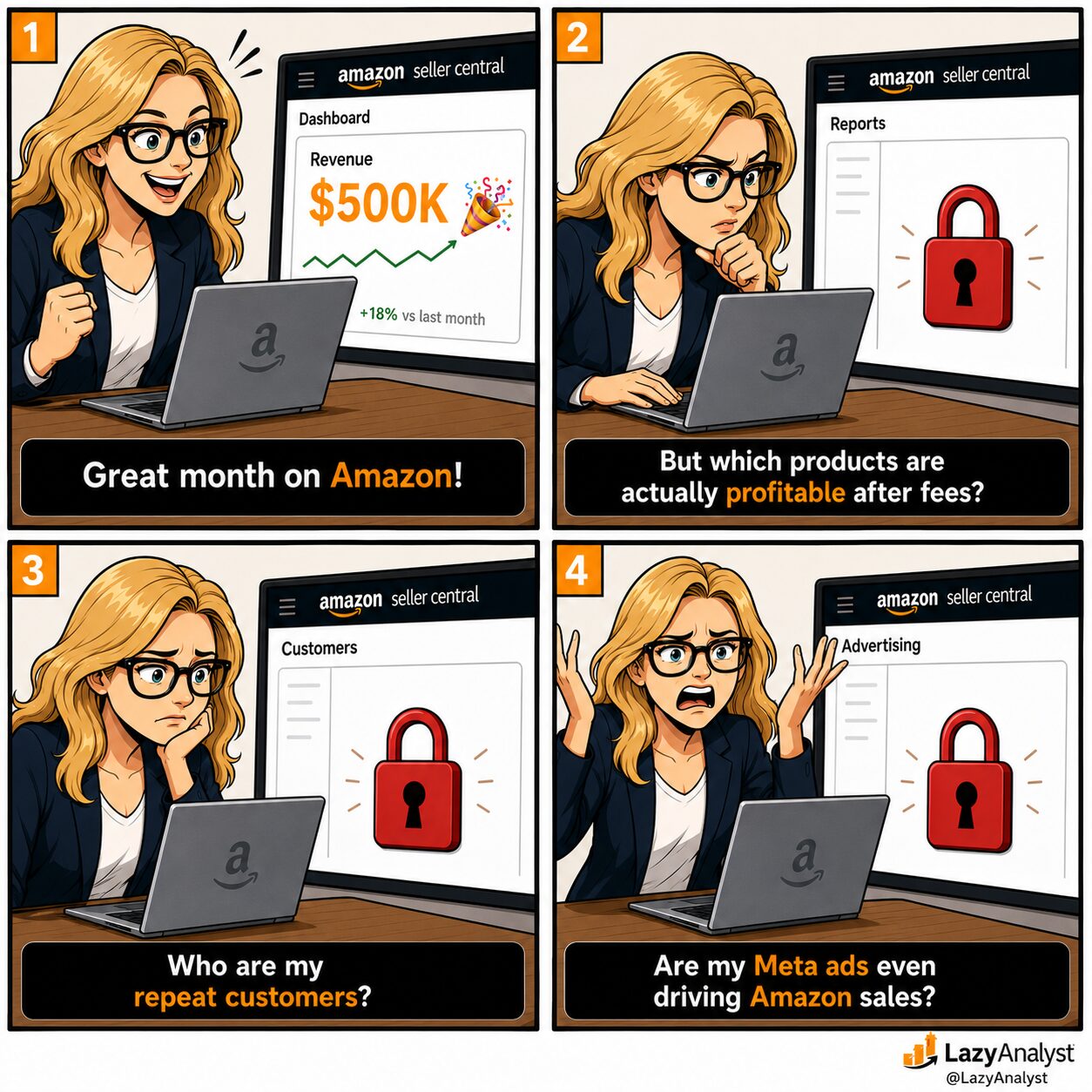
3 INSIGHTS AMAZON SELLER CENTRAL HIDES FROM EVERY E-COMMERCE TEAM:
If your brand sells on Amazon, you already know Seller Central handles listings, orders, and FBA well.
But when it comes to reporting, it gives you just enough to feel informed.
Here are THE 3 BLIND SPOTS YOU WON’T FIND IN SELLER CENTRAL’s DASHBOARD:
🚨 You can’t see true ASIN profitability
Seller Central shows revenue per product.
But FBA fees, referral fees, storage costs, and ad spend all live in separate reports that don’t talk to each other.
That means you might be scaling a product that’s barely breaking even.
👉 Pull your Payments report and Business Report via the Selling Partner API, and your Advertising data via the Ads API, then join them in your database.
🚨 You can’t see who’s buying from you twice
You’re growing revenue on Amazon with zero ownership of the customer relationship.
👉 Pull the Repeat Purchase Behavior report via the SP API for aggregate signals by ASIN. Then cross-reference against your Klaviyo or DTC email data: if you’re capturing first-party emails through your own site, you can match purchase timing to see which cohorts convert on both channels.
🚨 You can’t see what your off-Amazon marketing actually does
Seller Central gives you zero credit for it.
👉 Tag your off-Amazon campaigns with Amazon Attribution links, then pull the data via the Ads API and compare it against your ad platform and CRM data.
Now you’ll know which external channels convert on Amazon. And what you can stop paying for.
Join SP API order data with your Ads API spend and COGS to see profit per SKU, not just revenue.
💡 Retention vs. New Buyer Split
Blend Amazon Brand Analytics with Klaviyo data to see which Amazon buyers you actually kept.
💡 Cross-Channel ROAS
Combine Amazon Attribution with Meta and TikTok Ads data to see which channels pull their weight.
AMAZON COLLECTS ALL OF THIS.
It JUST DOESN’T SHOW IT TO YOU.